





Which Suica Should You Use in Japan? Physical Card or Welcome Suica Mobile? The Smart Way to Get Around
- Written by: LIVE JAPAN Editor
If you are traveling around Tokyo, a Suica is practically a must. Issued by JR East, this all-purpose IC card works like a transit pass and a digital wallet in one. You can tap through train and bus gates, then use it again at convenience stores, vending machines, and even some restaurants across the Kanto region.
As of March 2025, the classic green physical Suica is once again easy to buy from station ticket machines. Still, in 2026, many travelers will find the phone-based option even easier. With the Welcome Suica Mobile app, iPhone users can set up a card and add funds via Apple Pay before leaving home. After landing in Japan, there is no waiting in airport lines. Just tap your phone and ride.
So how do Welcome Suica Mobile, the green physical Suica, and the red visitor version actually compare? And which one makes the most sense for your trip? This quick guide breaks down the differences and helps you choose the smartest option.
(Featured image source: PIXTA)
(This article includes sponsored content)
- Table of Contents
-
- Kanto Transit Card Trends: Mobile Apps Take Over, Physical Cards Are No Longer the Only Option
- Regular Suica vs Welcome Suica (Physical & App) Compared
- Welcome Suica Mobile (App): No Lines, 180-Day Validity, the Top Pick for 2026
- Regular Suica (Green Physical Card): The Go-To Choice for Repeat Visitors
- Physical Welcome Suica (Red Card): Best for Short Trips and Souvenirs
- More Than Just Transit: How to Use Suica for Shopping and Coin Lockers
- Coming Soon: Green Car Support Arriving in Spring 2026
Kanto Transit Card Trends: Mobile Apps Take Over, Physical Cards Are No Longer the Only Option
For travelers who visited Japan in recent years, not being able to buy a Suica was a familiar frustration. That shortage, caused by a global chip supply issue, officially ended in March 2025. Today, standard green Suica cards are easy to purchase at Narita and Haneda airports, as well as at ticket machines in major JR stations around Tokyo, so finding a card is no longer newsworthy.
That said, by 2026, the way visitors pay for transportation in Japan has clearly shifted. With JR East launching the Welcome Suica Mobile app for overseas travelers, skipping a physical card has become the smarter choice.
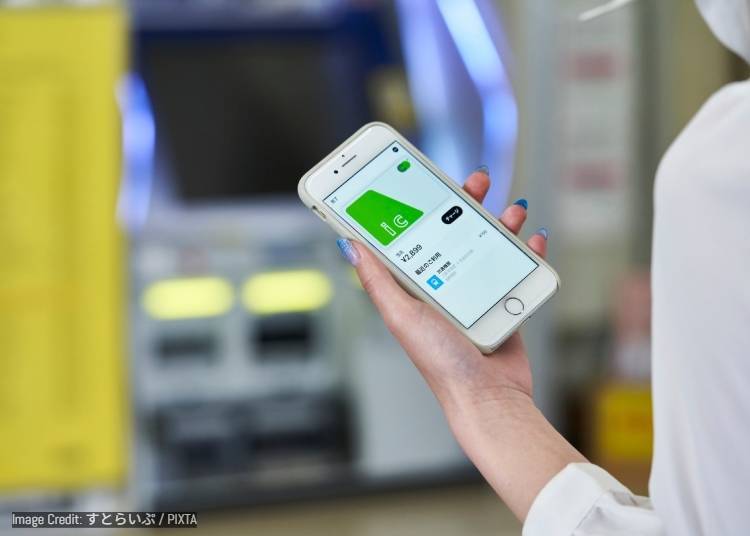
The app removes two long-standing hassles: lining up to buy a card and topping up with Japanese yen in cash. By downloading the app before departure, travelers can issue a virtual Suica on their phone and add funds anytime via Apple Pay and a linked credit card. Even better, while the physical Welcome Suica (the red card) expires after just 28 days, the mobile version remains valid for up to 180 days. For anyone planning another trip within six months, the card and remaining balance can be reused without reapplying. Unless collecting a physical card is part of the fun, the mobile app is now the most recommended option.
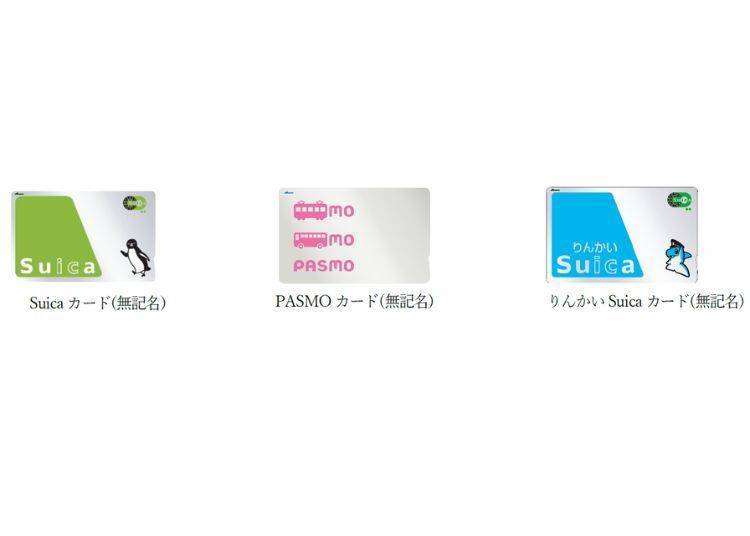
Suica cards can be purchased from JR East multifunction ticket machines or staffed ticket counters, including the Midori-no-Madoguchi. Cards are sold in denominations of 1,000 yen, 2,000 yen, 3,000 yen, 4,000 yen, 5,000 yen, and 10,000 yen. Each price includes a 500 yen deposit, with the remaining amount available as stored value. For full details, please check the official site.
There is also a visitor-only IC card called Welcome Suica. Like a standard Suica, it is an unregistered card that can be used for transit and cashless payments at shops, as well as for discounted passes such as transport bundles or round-trip tickets. It can be topped up with cash at ticket machines, is valid for 28 days from first use, and does not require a deposit. Do note that any remaining balance cannot be refunded. Full terms are available on the official site.
PASMO cards can be purchased from ticket machines or staffed counters at stations operated by PASMO-affiliated companies. For locations and details, please refer to the official site.
Please note that the visitor-only IC card PASMO PASSPORT is currently sold out due to high demand and is not available for purchase at this time.
Regular Suica vs Welcome Suica (Physical & App) Compared
Green Suica, red Welcome Suica, or the new mobile app. Which one actually fits your trip? Below is a quick comparison of the three options across five key points, so you can decide in about 30 seconds.
- Key Point 1: Deposit
- ・Regular Suica (green physical card): 500 yen deposit required, refundable when you return the card.
・Welcome Suica (red physical card): No deposit.
・Welcome Suica Mobile (app): No deposit.
- Key Point 2: Validity Period
- ・Regular Suica (green physical card): Valid for up to 10 years from last use, ideal for long-term or repeat visitors.
・Welcome Suica Mobile (app): Valid for 180 days from issuance, best if you plan to visit Japan again within six months.
・Welcome Suica (red physical card): Valid for 28 days from issuance, suitable only for short trips.
- Key Point 3: How to Top Up
- ・Welcome Suica Mobile (app): The easiest option. Supports online top-ups via Apple Pay using a credit card, and cash top-ups at convenience stores.
・Physical cards (green or red): Can only be topped up with Japanese yen in cash at station ticket machines or convenience stores.
- Key Point 4: Where to Get It
- ・Welcome Suica Mobile (app): Download from the App Store. No lines, and you can set it up before departure.
・Regular Suica (green physical card): Available from ticket machines and service centers at major JR stations.
・Welcome Suica (red physical card): Sold at airport counters or dedicated machines, and usually involves waiting in line.
- Key Point 5: Balance Refund Rules
- ・Regular Suica (green physical card): Refundable. A handling fee applies, and the 500 yen deposit is returned.
・Welcome Suica (red card and app): Not refundable. Be sure to use up the remaining balance at convenience stores or vending machines before leaving Japan.
Still Not Sure After the Comparison? Start Here
1. I’m a phone-first traveler and hate waiting in lines ➔ Recommended: Welcome Suica Mobile (App)
This is hands down the easiest option in 2026. You can set everything up before leaving Taiwan or Hong Kong, then tap and ride the moment you land. No hunting for ticket machines or carrying Japanese yen for top-ups. With a 180-day validity, it is ideal for short trips or travelers visiting Japan a few times within the year.
2. I’m a repeat visitor and want one card for the long run ➔ Recommended: Regular Suica (green physical card)
If you plan to keep using the same card for years or prefer not to rely on your phone, the classic green Suica is still a solid choice. As long as it is used once every 10 years, it stays valid, making it perfect for long-term and frequent visitors.
3. I want a souvenir, or my phone is not supported ➔ Recommended: Welcome Suica (red physical card)
With its cherry blossom design, the red card makes a great travel keepsake. It is also a practical option for children without phones or older travelers who are not comfortable with mobile payments. No deposit is required, which makes it easy to buy and use right away.
Welcome Suica Mobile (App): No Lines, 180-Day Validity, the Top Pick for 2026
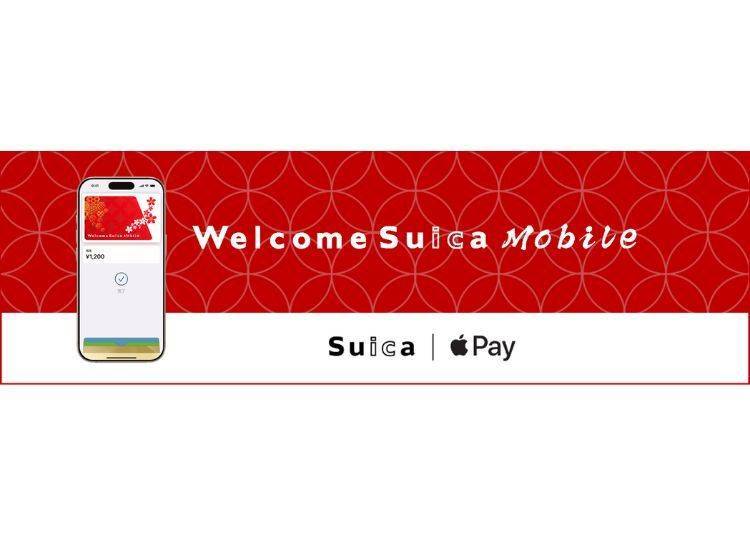
If you use an iPhone or Apple Watch, this is easily the smartest and fastest way to get around Japan in 2026.
JR East’s Welcome Suica Mobile app turns your phone into a Suica, removing the biggest drawbacks of the old visitor card. There is no 28-day limit, no lining up at airport counters, and no language stress. Spend about three minutes setting it up before your trip, and the moment you land, you can tap your phone and walk straight through the gates.
Why Is It Better Than a Physical Card? Three Key Advantages Explained
Advantage 1: 180-Day Validity (Six Months)
This is the biggest upgrade over the physical version. The physical Welcome Suica expires after just 28 days, but the app version stays valid for 180 days from the issue date. If you visit Japan for cherry blossom season and return within six months for summer or autumn foliage, the same virtual card and remaining balance are still usable. It is ideal for travelers who visit Japan once or twice a year.
Advantage 2: Top Up Anytime with Apple Pay
With a physical card, running low on balance means finding a ticket machine and carrying Japanese yen in cash. The app version lets you top up instantly via Apple Pay using a credit card. Whether you are waiting in line at Universal Studios Japan or stopping by a convenience store late at night, you can add funds in seconds and avoid getting stuck at the ticket gates.
Advantage 3: No Deposit, No Lines
There is no 500 yen deposit and no waiting in long lines at JR service counters at Narita Airport. As long as you have an internet connection, you can issue the card anytime, anywhere, making it the most stress-free option from start to finish.
Quick How-To: Get Set Up in 3 Minutes
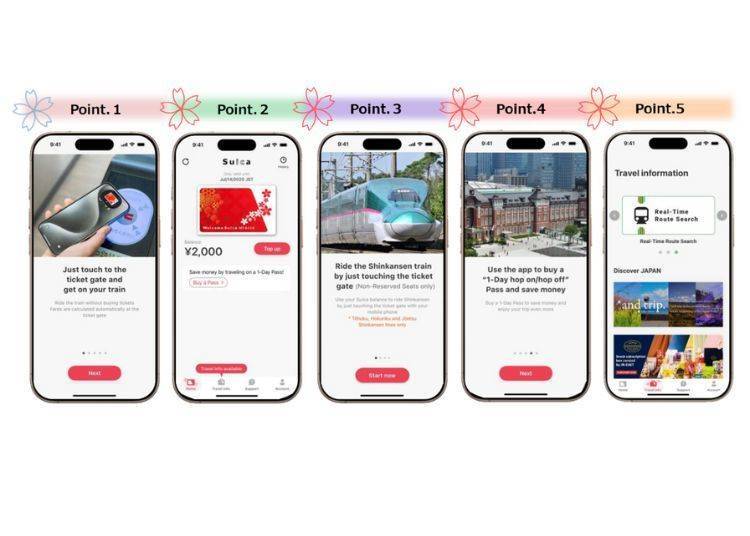
1. Download the app: Search for and download Welcome Suica Mobile from the App Store.
2. Issue a new card: Open the app and select Issue New Suica.
3. Add funds: Choose an amount (from 1,000 yen) and pay with Apple Pay.
4. Add to Wallet: Once payment is complete, add the card to the Wallet app on your iPhone or Apple Watch.
5. Start using it: At ticket gates or when paying at convenience stores, no need to wake or unlock your device. Just hold the top of your phone near the reader.
Important note:
Even though the app version is valid for 180 days, it follows Welcome Suica rules, meaning the remaining balance is not refundable. Before leaving Japan, try to spend any leftover funds at airport shops or convenience stores. If you do not plan to return within six months, keep your balance as low as possible.
Android Users, Please Note: Currently iPhone Only
At the moment, the Welcome Suica Mobile app is designed primarily for iOS devices, specifically iPhone 8 and later models.
Japan’s contactless payment system relies on FeliCa chip technology. Most Android phones purchased outside Japan, including international models sold in Taiwan or Hong Kong such as Samsung, Pixel, or Xiaomi, do not support this hardware standard and therefore cannot use mobile Suica.
If you are an Android user, there is no need to worry. You can still purchase a green physical Suica or the red Welcome Suica at airports or stations. The physical cards offer the same functions and will get you around Japan just as smoothly.
Regular Suica (Green Physical Card): The Go-To Choice for Repeat Visitors
Even with the rise of mobile apps, the classic green Suica still has plenty of loyal fans in 2026. The reason is simple. It offers something neither the app nor the red visitor card can match: an extremely long validity period and the feeling of owning a card you can keep using for years.
If you visit Japan only once every few years, or if you use an Android phone since Welcome Suica Mobile mainly supports iOS, the green physical Suica remains the most reliable and stress-free option.
Why Choose the Green Card? Two Key Reasons
Reason 1: Valid for Up to 10 Years
Unlike the red Welcome Suica, which expires after 28 days, or the mobile app version, which is valid for 180 days, the green Suica stays valid for 10 years from its last use. In practice, tapping it once every few years keeps it active. There is no need to worry about expiration or losing your balance. For frequent Japan visitors, it becomes a long-term travel companion.
Reason 2: Balance Refunds Are Available
This benefit is unique to the green card. Any remaining balance on Welcome Suica, whether the red card or the app, cannot be refunded. If you decide you no longer need a green Suica, you can return it at a JR station ticket office (Midori-no-Madoguchi) and receive a refund.
Note:
A 220 yen handling fee is deducted from the remaining balance, and the 500 yen deposit is returned. If the balance is under 220 yen, only the deposit is refunded.
Where to Buy It and How It Works
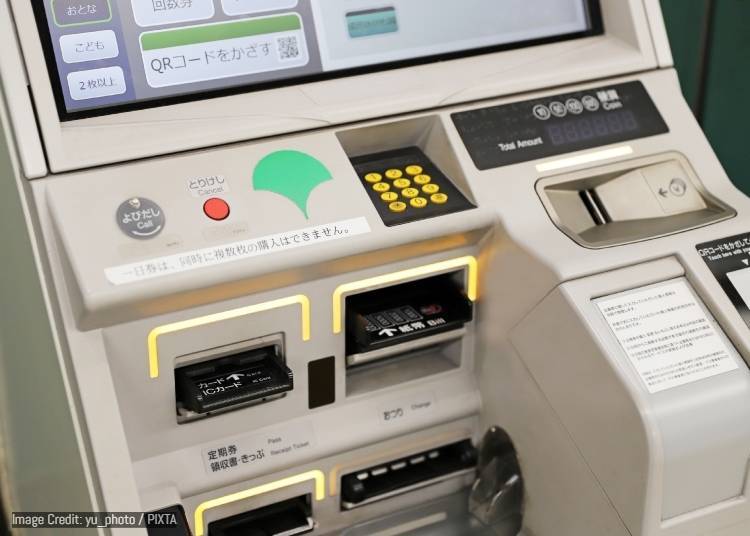
Buying a green Suica is no longer a scramble like it was in 2024. You can easily pick one up at major JR East stations such as Shinjuku, Shibuya, or Tokyo Station using the black multifunction ticket machines or the green ticket machines.
1. Look for a ticket machine with the Suica logo.
2. Tap English in the upper-right corner of the screen.
3. Select Purchase New Suica.
4. Insert the amount you want to load, which includes a 500 yen deposit. For example, if you choose a 2,000 yen card, 1,500 yen will be available as balance after the deposit.
5. The card is issued immediately and ready to use.
Tip:
The 500 yen deposit on the green card is not a fee. It is simply held on the card and returned when you cancel it. Compared with the risk of losing your balance if the app version expires after 180 days, this deposit can be seen as a small and worthwhile form of insurance.
Physical Welcome Suica (Red Card): Best for Short Trips and Souvenirs
Before the mobile app arrived, this red card with its white cherry blossom design was a lifesaver for overseas visitors. While many of its functions have now been replaced by the app, the physical Welcome Suica still has a clear role in 2026, especially for travelers who want a keepsake or families traveling with children.
Who is it best for?
・Souvenir lovers: The red background and white sakura design feel distinctly Japanese and look far more special than the green card. Many travelers enjoy taking it home as a memento.
・Children or seniors without smartphones: For family trips where kids do not have phones, or older travelers who prefer not to use mobile payments, this no-deposit physical card is simple and practical.
・Very short-term visitors: If you are visiting Japan for just a few days and do not plan to return anytime soon, the no-deposit setup means there is no need to deal with refunds later.
Three Key Features (Pros and Cons)
・No deposit required: The full amount you pay is usable. For example, pay 2,000 yen and the balance is exactly 2,000 yen, unlike the green card which holds a 500 yen deposit.
・Valid for only 28 days: This is its biggest drawback. The card expires automatically on day 29 after purchase. Any remaining balance cannot be refunded or transferred, so be sure to use it all before leaving Japan. Convenience stores and airport duty-free shops are good places to spend the last bit.
・Reference paper must be kept: When you buy the card, you will receive a small square paper showing the card’s expiry date. You do not need it for everyday travel, but station staff may ask for it during inspections or procedures. Keep it safely with your passport and do not throw it away.
Where to buy:
The physical Welcome Suica is mainly sold at airports. You can purchase it from dedicated Welcome Suica machines at Narita Airport and Haneda Airport. Some major city stations, such as Tokyo Station, may have limited stock at tourist information centers, but airports are the most reliable place to get one.
More Than Just Transit: How to Use Suica for Shopping and Coin Lockers
Suica is more than a train card. It also works as a nationwide electronic wallet. By 2026, cashless payment is common across Japan, and anywhere you see the Suica or IC penguin logo, you can usually tap to pay. Master these simple uses and your trip will feel much smoother.
1. Convenience Stores and Vending Machines: The Easiest Way to Use Up Change
At Japan’s major convenience stores, including 7-Eleven, Lawson, and FamilyMart, there is no need to dig out coins. Just tell the cashier you are paying with Suica and tap your card or phone. Platform vending machines at stations, often branded acure, also support Suica. When you want a drink, a quick tap is all it takes.
2. Coin Lockers: Your Card Is the Key
This is one of Suica’s most convenient features. Most coin lockers at major stations now use electronic locks.
・Storing luggage: Place your bag inside, choose Suica as the payment method, and tap your card or phone. The locker locks automatically.
・Retrieving luggage: No key and no PIN needed. Simply tap the same Suica card or phone you used earlier, and the door opens.
Important:
Always remember which card or device you used to lock the locker. That card or phone is the only key.
3. Restaurants and Drugstores
Many everyday spots accept Suica, including chain gyudon restaurants like Matsuya and Yoshinoya, drugstores such as Matsumoto Kiyoshi and Daikoku, and even some Uniqlo and Don Quijote locations. This makes it especially handy on your last day, when you want to use up your remaining balance before heading to the airport.
Useful Japanese Phrase: What to Say at Checkout
When the cashier asks how you would like to pay, you do not need any complicated Japanese. Just say this simple phrase:
“Suica de kudasai.” (su-ee-kah deh kudasai)
Meaning: Paying with Suica.
If you are not sure whether the store accepts Suica, simply point to your card or phone. Staff will usually understand right away and guide you to the reader.
Coming Soon: Green Car Support Arriving in Spring 2026
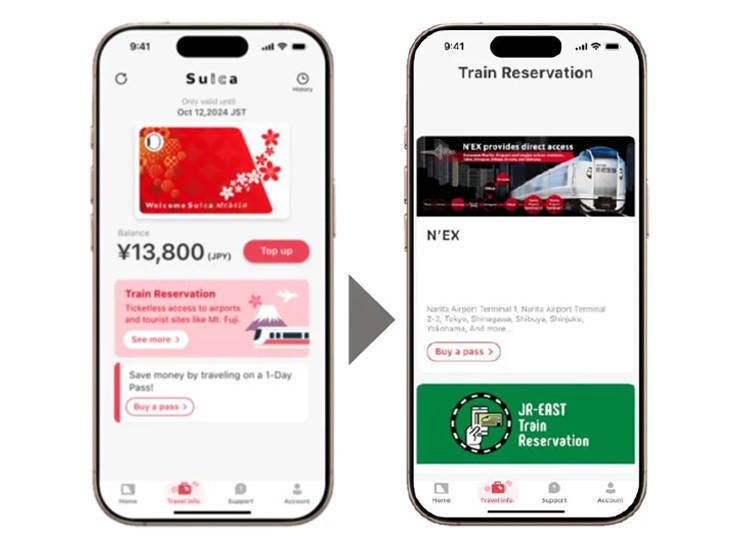
If you think the Welcome Suica Mobile app is only for trains and vending machines, think again. According to JR East’s latest roadmap, the app is steadily evolving into a powerful all-in-one rail travel assistant.
Looking Back: Fall 2025 Update – Shinkansen Tickets (Now Available)
Since fall 2025, Welcome Suica Mobile has been integrated with JR East’s online booking service, JR-EAST Train Reservation. Travelers can now buy Shinkansen e-tickets directly on their phone for trips to places like Karuizawa or the Tohoku region. At the station, simply tap your phone at the gates. There is no need to stop by a ticket counter or pick up paper tickets, making Shinkansen travel fully paperless.
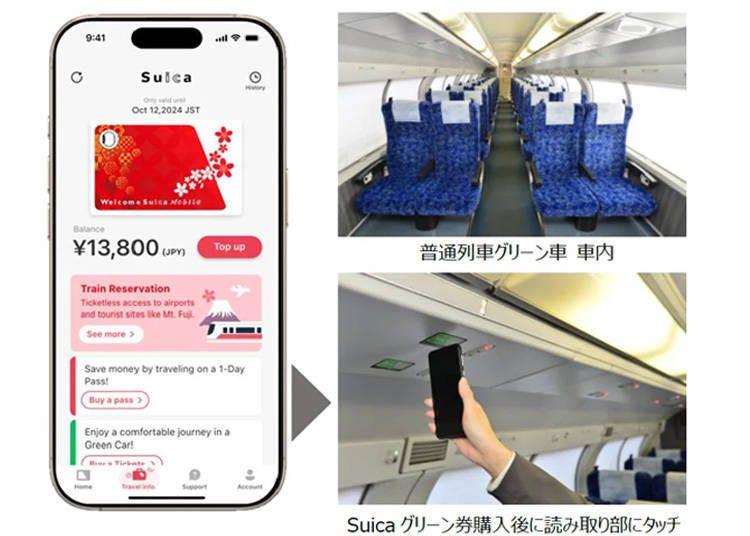
Spring 2026 Major Update: Green Car Tickets for Local Trains
This is one of the most anticipated features for travelers. In spring 2026, the app is expected to support the purchase of Green Car tickets for regular trains.
Why this matters:
Until now, if you wanted to ride in a Green Car on double-decker trains such as the Yokosuka Line, Tokaido Line, or Shonan–Shinjuku Line, heading to places like Kamakura, Yokohama, or Atami, you had to line up at platform ticket machines and navigate Japanese-only screens. After this update, you will be able to buy a Suica Green ticket directly in the app. Once onboard, simply tap your phone on the Suica reader above your seat. When the light turns from red to green, you are good to sit back and relax.
This update removes the stress of buying tickets on crowded platforms and makes longer trips around the Kanto region far more comfortable for visitors.
Note:
The exact release date and interface details will be announced by JR East through official app update notices.
With technology moving fast, the image of travelers lining up at airport counters and fumbling for loose change is quickly fading. For Tokyo trips in 2026, the key ideas are smart travel and seamless movement.
For iPhone users, the Welcome Suica Mobile app is the clear top choice. It removes worries about losing a physical card or dealing with short validity periods, and lets you tap through gates with Apple Pay from the moment you land. For those who enjoy collecting cards or prefer not to use mobile payments, the full return of the green physical Suica offers a reliable and reassuring alternative. Whichever option you choose, having a Suica in hand makes navigating Tokyo’s dense rail network easy, letting you focus on enjoying the city. Check your phone now and get ready for a smooth, stress-free Japan trip.
Images shown is for reference only. Actual screens may differ.
“Suica” and “Mobile Suica” are registered trademarks of East Japan Railway Company.
“PASMO” and “Mobile PASMO” are registered trademarks of PASMO Co., Ltd.
Apple, the Apple logo, Apple Pay, iPhone, and Apple Watch are registered trademarks of Apple Inc. in the U.S. and other countries and regions.
The iPhone logo is used under license from AIPHONE CO., LTD.
▼ Explore More Japan Transport Guides ▼


The LIVE JAPAN editorial team is a multinational group made up of native editors who have lived in Japan for over five years and Japanese editors who love to travel. Together, we share the best of Japan, offering cultural insights, historical context, event updates, and travel-friendly deals, to support your journey every step of the way.
- Area
- Category
*Prices and options mentioned are subject to change.
*Unless stated otherwise, all prices include tax.
Popular Tours & Activities
Recommended places for you
-
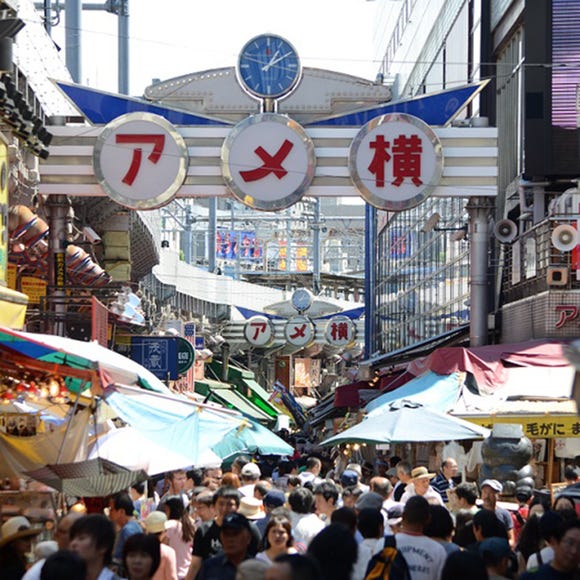
Ameyoko Shopping Street
Old Towns (Shitamachi)
Ueno
-
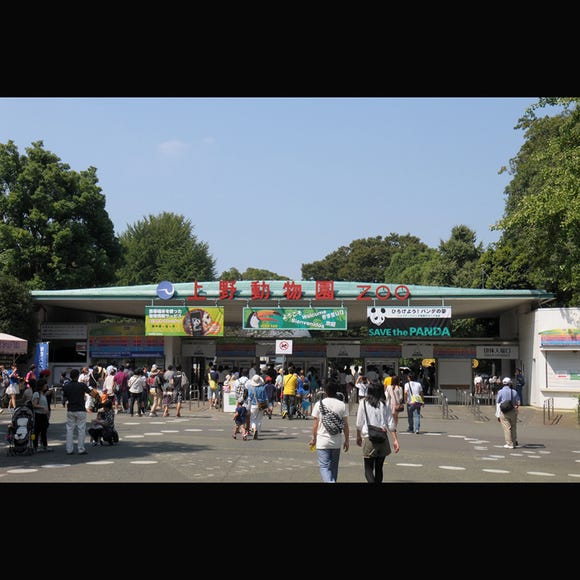
Ueno Zoo (Ueno Zoological Gardens)
Zoos, Aquariums & Botanical Gardens
Ueno
-
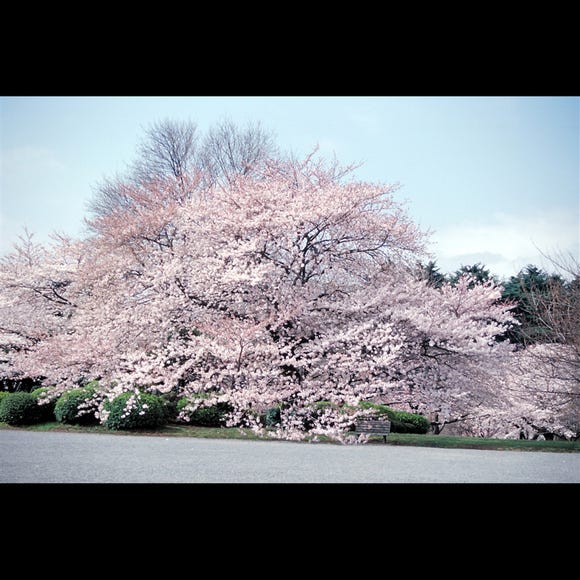
Shinjuku Gyoen National Garden
Gardens
Shinjuku
-

The Tokyo Station Marunouchi Building
Landmarks
Tokyo Station
-
Senso-ji Temple
Temples
Asakusa
-
The Imperial Palace
Other Architecture
Tokyo Station
-
Just 2 Hours from Tokyo! Escape to Yamanashi's NIPPONIA Kosuge, Where an Entire 700-Person Village Becomes Your Hotel
by: Alice Lee
-
Cracked Phone Screen in Japan? Smahospital Repair Guide: Keep Your Data, Fixed in 15 Min, Multilingual Support | Up to 10,000 Yen Off with LIVE JAPAN Coupon
-

Daikoku Car Meet Guide: How to Visit, Best Times & Rules
-
Ad
Pocket WiFi Rental in Japan 2026: Complete Price Comparison & Where to Get the Best Deal
-

ANA’s Chiikawa Jet Is Taking Off—Here’s Everything You Need to Know About Exclusive Goods, In‑Flight Fun & Travel Tips
by: Guest Contributor
-
Autumn in Japan 2026: Fall Foliage Forecast & Where to Enjoy the Colorful Leaves (+Tour Info)(Updated Oct 1)
Inspiration for Accommodations
-

Family-Friendly Hotels with Free Shuttle to Disneyland: Convenient Access for a Magical Stay
-

Top Ranked Hakone Hotels with Mt. Fuji View: Enjoy Stunning Scenery from Your Private Space
-

Convenient Tokyo Hotels with Airport Shuttle: Ideal for Families and Heavy Luggage
-
9 Family-Friendly Hotels with Comfortable Family Rooms in Asakusa
-

10 Open-air bath Onsen Ryokans in Hakone for Ultimate Relaxation
-
What Is 'Hanachozu' - Japan's New Way To Heal At Temples And Shrines Amid The COVID-19 Pandemic?
by: Miyu Shimada
-
Tokyo Roppongi|Roppongi Station Area Map & Sightseeing Information
-

Savor Spring at SAKURA FES NIHONBASHI 2026 - Celebrating Sakura, Sweets, and Japanese Culture!
-
Ueno Station Area Guide: Fun Ways to Explore Tokyo's Popular Destination (Area Map & Sightseeing Tips)
-
Tokyo Train & Subway Guide: Navigate the City Like a Pro (JR, Subways, IC Cards & Passes)
-

Golden Gai – Tokyo Shinjuku’s Atmospheric Bar Wonderland and the Secrets Behind its Magic
- #best ramen tokyo
- #what to buy in ameyoko
- #what to bring to japan
- #new years in tokyo
- #best izakaya shinjuku
- #things to do tokyo
- #japanese nail trends
- #what to do in odaiba
- #onsen tattoo friendly tokyo
- #daiso
- #best sushi ginza
- #japanese convenience store snacks
- #best yakiniku shibuya
- #japanese fashion culture
- #best japanese soft drinks