





How to Get Internet Access in Japan: Guide for Tourists and Digital Nomads
- Written by: LIVE JAPAN Editor
Having internet access in Japan is less of a luxury and more of a travel essential. You will probably use your phone to navigate train stations, check timetables, translate menus, reserve restaurants and attractions, use digital tickets, and figure out which exit of Shinjuku Station you were actually supposed to take.
Fortunately, staying connected in Japan is relatively easy. Travelers can use free public WiFi, an eSIM or prepaid SIM, rent pocket WiFi, or simply activate international roaming with their home carrier.
This guide explains where you can get internet in Japan, what each option is best for, and how to avoid finding yourself offline when you need Google Maps most.
- Table of Contents
-
- Internet access in Japan: The quick answer
- Do tourists really need internet access in Japan?
- 1. Free Public Wi-Fi
- 2. eSIMs: The easiest option for many travelers
- 3. Prepaid SIM cards in Japan
- 4. Pocket WiFi rentals
- 5. International roaming
- 6. Which mobile networks are used in Japan?
- Useful apps to download before your Japan trip
- What to do before flying to Japan
- Common internet problems in Japan
- Should you bring a portable charger?
- Internet Access FAQ
- Final tips for staying connected in Japan
Internet access in Japan: The quick answer
For most visitors, it is worth having your own mobile internet connection rather than relying entirely on public WiFi.
| Option | Best For | Main Advantage | Main Drawback |
|---|---|---|---|
| eSIM | Most solo travelers | Set up digitally before arrival | Requires compatible unlocked phone |
| Physical SIM | Travelers without eSIM-compatible phones | Internet directly on your phone | Requires SIM installation |
| Pocket WiFi | Families, groups, multiple devices | Several devices can share one connection | Another device to carry and charge |
| International roaming | Short trips and maximum convenience | Keep using your existing phone plan | Can be expensive |
| Free public WiFi | Occasional or backup use | Free | Coverage is intermittent |
Our quick recommendation
・Solo traveler with a recent unlocked smartphone: Consider an eSIM
・Family or group staying together: Pocket WiFi can be convenient
・Phone without eSIM support: Consider a prepaid physical SIM
・Home carrier offers inexpensive Japan roaming: Compare the price before buying anything else
・Planning to rely entirely on free WiFi: Possible, but not particularly convenient
For a detailed breakdown of the paid options, see our Pocket WiFi vs SIM Card in Japan: Complete Guide for Travelers.
Do tourists really need internet access in Japan?
Technically, you can travel around Japan without constant internet access. Hotels commonly provide WiFi, major airports have free networks, and public WiFi is available in many stations, cafes, shopping centers, and tourist facilities. In practice, having mobile data makes a trip considerably easier.
You may need internet for:
・Google Maps and other navigation apps
・Train routes, delays, and timetable changes
・Translation apps
・Restaurant searches and reservations
・Digital tickets and QR codes
・Opening hours and last-minute schedule changes
・Messaging travel companions
・Cashless payment and banking apps
・Weather forecasts and emergency information
・Uploading and backing up photos
It is particularly useful in Japan’s enormous railway stations, where finding the correct platform is sometimes only half the battle. Knowing which station exit to use can save a surprisingly long walk.
1. Free Public Wi-Fi
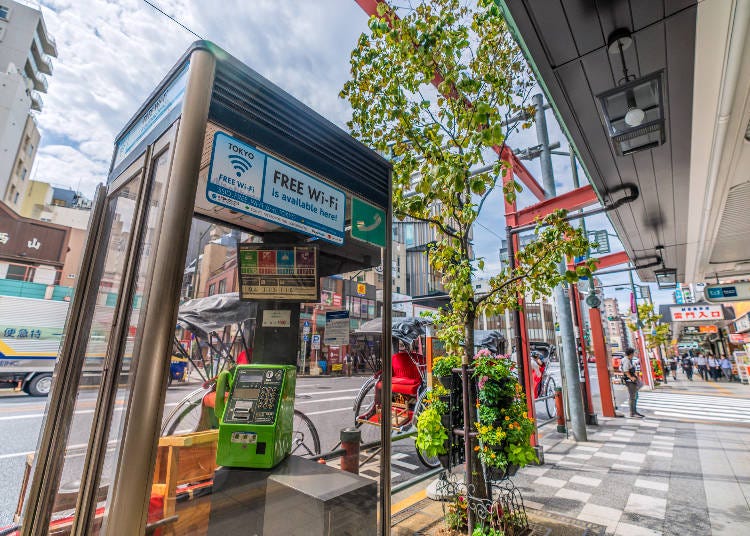
Free WiFi in Japan is much easier to find than it once was. International airports, major railway stations, hotels, cafes, shopping centers, tourist information centers, and many public facilities now offer wireless internet. For occasional use, it can be extremely useful. For an entire sightseeing day, however, it is less reliable than having your own connection.
Where can you find free WiFi in Japan?
Common places include:
・International airports
・Major JR and private railway stations
・Some trains and buses
・Hotels and hostels
・Tourist information centers
・Shopping malls and department stores
・Museums and major sightseeing facilities
・Cafes and restaurants
・Convenience stores and other retailers
・Some city-run public WiFi networks
Availability varies by operator and location, so do not assume every station or branch of a chain will offer the same service. You can browse a list of places and facilities offering Wi-Fi here.
For easy access, the free Japan Wi-Fi Auto-connect app by NTT Broadband Platform automatically connects to over 50,000 free hotspots without individual registration.
Free WiFi at Japan’s airports
Japan’s major international airports provide free passenger WiFi, making it easy to get online immediately after landing. This is especially useful if you need to contact your hotel, load directions, retrieve a booking confirmation, or activate an eSIM.
Major gateways with free airport WiFi include:
・Narita International Airport
・Haneda Airport
・Kansai International Airport
・Chubu Centrair International Airport
・New Chitose Airport
・Fukuoka Airport
・Naha Airport
Registration requirements and network names can change, so check airport signage rather than automatically connecting to a similarly named network.
Tip: Download or screenshot the instructions for your SIM, eSIM, pocket WiFi pickup, and accommodation before flying. Airport WiFi makes a useful backup, but your arrival should not depend entirely on connecting to it successfully.
| Airport | SSID (Network Name) | Setup Instructions |
|---|---|---|
| Narita International Airport (NRT) | FreeWiFi-NARITA | View Guide ↗︎ |
| Haneda Airport (HND) | HANEDA-FREE-WIFI | View Guide ↗︎ |
| Kansai International Airport (KIX) | #AirportFreeWiFi-Kansai, #AirportFreeWiFi-Kansai2.4G | View Guide ↗︎ |
| Chubu Centrair International Airport (NGO) | FreeWiFi-centrair | View Guide ↗︎ |
| Fukuoka Airport (FUK) | AirportFreeWiFi-2.4G, AirportFreeWiFi-5.0G | View Guide ↗︎ |
| New Chitose Airport (CTS) | NewChitose_Airport_Free_Wi-Fi | View Guide ↗︎ |
| Naha Airport (OKA) | Free_Wi-Fi_NAHA_Airport | View Guide ↗︎ |
Free WiFi at train and subway stations
Many major stations provide public WiFi, particularly in Tokyo, Osaka, Kyoto, and other large cities. JR companies, subway operators, private railways, and local governments may each operate separate networks. This means you may need to reconnect or accept new terms when moving between different transport systems.
Public WiFi is helpful while waiting for a train, but it is not a substitute for mobile data if you need continuous navigation while walking through the city.
| Rail Operator | SSID (Network Name) | Setup Instructions |
|---|---|---|
| Hankyu Railway (Kansai area) |
HANKYU-HANSHIN WELCOME Wi-Fi
*Joint service with Hanshin, available at stations and facilities.
|
View Guide ↗︎ |
| JR Central (Central Japan Railway Co.) |
Shinkansen_Free_Wi-Fi, JR-Central_Free
*Shinkansen_Free_Wi-Fi for Shinkansen, JR-Central_Free for stations and some trains.
|
View Guide ↗︎ |
| JR East (East Japan Railway Co.) |
JR-EAST FREE Wi-Fi
*Available at many stations and on some trains, requires registration.
|
View Guide ↗︎ |
| JR Hokkaido (Hokkaido Railway Co.) |
JR_Hokkaido_Free_Wi-Fi
*Available on Rapid Airport trains and at select stations.
|
View Guide ↗︎ |
| JR Kyushu |
JR-KYUSHU FREE Wi-Fi
*Available at major stations and on special express trains.
|
View Guide ↗︎ |
| JR West (West Japan Railway Co.) |
JR-WEST Free Wi-Fi
*Available at select stations and on some trains, e.g., Osaka Loop Line.
|
View Guide ↗︎ |
| Keihan Electric Railway (Kansai area) |
KEIHAN FREE Wi-Fi
*Available on select trains (8000 and 3000 series) and stations.
|
View Guide ↗︎ |
| Keisei Electric Railway (Tokyo area) |
KEISEI FREE Wi-Fi
*Available on Keisei Skyliner and at select stations, e.g., Narita Airport.
|
View Guide ↗︎ |
| Kintetsu Railway (Kansai area) |
Kintetsu_Railway_Free_Wi-Fi, Kintetsu_Railway_Free_Wi-Fi2
*Available at stations and on limited express trains.
|
View Guide ↗︎ |
| Nankai Electric Railway (Kansai area) |
Osaka_Free_Wi-Fi(OWF)
*Available on limited express trains and at stations.
|
View Guide ↗︎ |
| Odakyu Electric Railway (Tokyo area) |
Odakyu_Free_Wi-Fi, ODAKYU HAKONE FREE Wi-Fi (in Hakone)
*Available at select stations in the Hakone area
|
View Guide ↗︎ |
| Seibu Railway (Tokyo area) |
SEIBU_FREE_Wi-Fi
*Available at select Seibu stations and on Red Arrow limited express.
|
View Guide ↗︎ |
| Tobu Railway (Tokyo area) |
TOBU Free Wi-Fi
*Available at Tobu stations and on some trains, requires registration.
|
View Guide ↗︎ |
| Tokyo Metro / Toei Subway (Tokyo area) |
Metro_Free_Wi-Fi
*Available at all Tokyo Metro stations, requires registration for up to 3 hours.
|
View Guide ↗︎ |
Does the Shinkansen have WiFi?
Free WiFi is available on many Shinkansen services, although availability and performance can vary. The connection may slow down when many passengers are using it or when the train passes through tunnels and areas with weaker reception. If you need a reliable connection for work, video calls, or large file transfers, your own mobile connection is preferable.
WiFi at hotels in Japan
Most hotels, business hotels, hostels, and ryokan provide WiFi for guests, usually at no additional charge. Connection quality can vary significantly. A modern city hotel may have excellent speeds, while an older ryokan or remote mountain property may have weaker signals in individual guestrooms.
If you need internet for remote work, do not simply check whether a hotel says “free WiFi.” Look at recent guest reviews for comments about speed and reliability.
WiFi at cafes and restaurants
Free WiFi is available at many cafes, fast-food restaurants, and casual dining chains, particularly in urban areas.
These networks can be useful for checking directions or taking a break from mobile data. However, connection procedures may involve an email address, terms-and-conditions page, or time limit. Independent restaurants, especially smaller traditional establishments, should not be expected to provide WiFi.
WiFi at convenience stores and shopping centers
Shopping malls, department stores, electronics retailers, and other commercial facilities frequently provide public WiFi. Convenience-store WiFi availability has changed considerably over the years, however, so old travel advice found online may no longer be accurate. Treat convenience stores as places where WiFi may be available rather than something you can always depend on.
Can you travel around Japan using only free WiFi?
You can, especially if you are staying mostly in large cities and are comfortable planning ahead. But it is not the option we would recommend for most first-time visitors.
The problem is not finding any WiFi. The problem is finding WiFi exactly when you need it. You may be standing on a residential street trying to find your hotel, walking between rural bus stops, transferring through an unfamiliar station, or looking for a restaurant after your original choice turns out to be closed. Free WiFi works best as a useful extra or emergency backup rather than your only connection.
2. eSIMs: The easiest option for many travelers
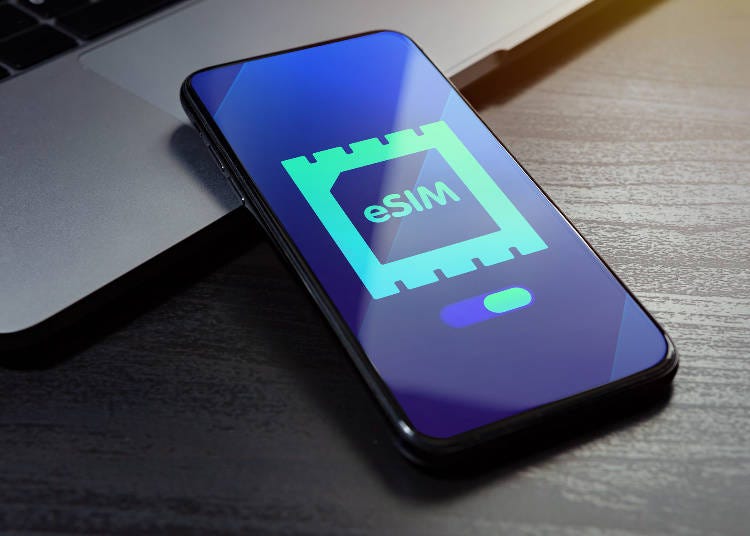
For travelers with compatible smartphones, an eSIM is one of the easiest ways to access the internet in Japan.
An eSIM is installed digitally, so there is no physical card to pick up or insert. You can generally buy a travel plan online before departure and activate it upon arrival.
Why travelers like eSIMs
・No airport pickup
・No router to carry
・Nothing to return
・Can often be installed before your flight
・Many phones allow you to keep your regular SIM installed
・Plans are available for different trip lengths and data needs
The main catch is compatibility. Your phone needs to support eSIM and generally needs to be carrier-unlocked.
Before purchasing, check the exact model rather than assuming all versions of a particular phone support eSIM.
When should you install your Japan eSIM?
It is generally easiest to install the eSIM before leaving home while you still have reliable internet. However, carefully check when the plan’s validity period begins. Some plans start when installed, while others begin only when they first connect to a supported network in Japan. Follow the instructions from your particular provider.
- 4G/5G eSIM Packages (via Klook)
- 4G/5G eSIM Packages (via KKday)
- 4G/5G SIM Card Packages (Airport pickup) (via Klook)
- 4G/5G SIM Card Packages (Airport pickup) (via KKday)

3. Prepaid SIM cards in Japan
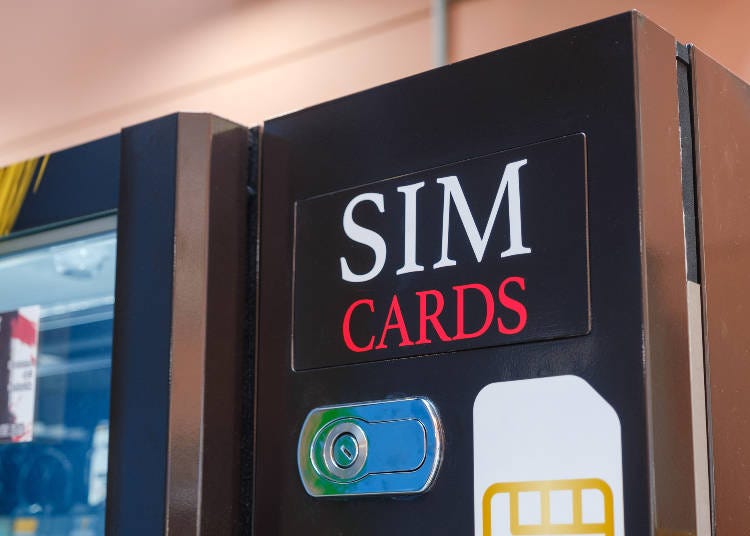
A physical prepaid SIM is another straightforward way to get mobile data. These are useful for travelers whose phones do not support eSIM or who simply prefer using a traditional SIM card. Tourist SIMs are available online and at locations such as airports and electronics stores. Many are data-only.
Before buying a SIM card
Check:
・Whether your phone is unlocked
・The SIM size required
・Plan duration
・Total or daily data allowance
・Whether tethering is supported
・Which Japanese network the plan uses
・Whether voice calls or SMS are included
・Whether APN setup is required
If your phone has only one physical SIM slot, remember to keep your regular SIM somewhere safe while traveling.
4. Pocket WiFi rentals
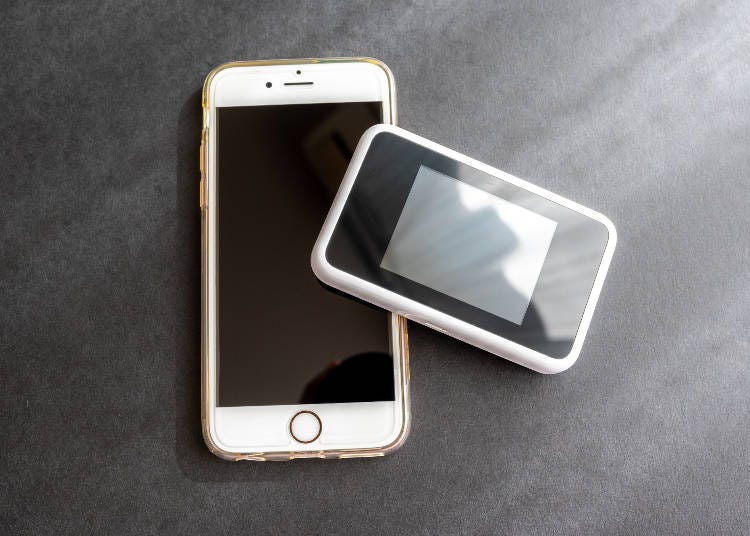
Pocket WiFi is a small portable router that connects to Japan’s mobile network and creates a private WiFi hotspot.
It remains particularly useful for families, groups, and travelers carrying several connected devices. One router can generally connect multiple smartphones, tablets, or laptops at the same time.
Pocket WiFi can be a good choice if:
・Several people will stay together most of the time
・You need to connect laptops or tablets
・Your phone cannot use a Japanese SIM
・You do not want to alter phone settings
・You expect relatively heavy data use
The disadvantages are that you need to carry the router, keep it charged, and return it at the end of the rental. If your group separates, the person carrying the router also carries everyone’s internet connection.
For a much more detailed comparison, see our guide to choosing between pocket WiFi, SIM cards, and eSIMs in Japan.
- Pocket Wi-Fi Packages (Airport pickup) (via Klook)
- Pocket Wi-Fi Packages (Airport pickup) (via KKday)
5. International roaming
The simplest option may already be inside your phone.
Many overseas carriers offer international roaming packages that include Japan. Depending on your provider, you may be able to use your normal number and data plan almost exactly as you do at home.
The advantage is convenience. There is nothing new to install, pick up, or return. The disadvantage can be the bill.
Before flying, check:
・Whether Japan is included in your plan
・Daily roaming fees
・Data limits
・Reduced-speed conditions
・Call charges
・SMS charges
For a short trip, an inexpensive roaming package may be worth paying for simply to avoid setting anything else up. For a two- or three-week trip, an eSIM, SIM, or pocket WiFi plan may work out considerably cheaper.
6. Which mobile networks are used in Japan?
Japan’s major mobile networks include NTT Docomo, au by KDDI, SoftBank, and Rakuten Mobile. Travel eSIMs, SIM cards, and pocket WiFi services may use one of these networks rather than operating their own infrastructure.
In major cities, travelers will generally find strong coverage. Network choice becomes more important if your trip includes remote islands, mountain areas, national parks, countryside destinations, or less populated parts of Japan.
Before purchasing a service, check which Japanese network it uses and view that network’s current coverage map if rural connectivity is important to you.
Internet access in rural Japan
Japan has excellent mobile infrastructure, but “Japan has great internet” does not mean every valley, hiking trail, island, or mountain village has flawless reception.
Coverage may become weaker in:
・Mountainous areas
・Hiking trails
・Remote parts of Hokkaido and Tohoku
・National parks
・Small islands
・Deep valleys
・Long tunnels
・Sparsely populated rural areas
If you are heading somewhere remote, download important information in advance. That includes:
・Offline maps
・Hotel address and phone number
・Train and bus timetables
・Reservation confirmations
・Emergency contact information
・Translation data where supported
・Trail maps when hiking
Having mobile data is helpful. Having a backup for when mobile data does not work is better.
How much mobile data do you need in Japan?
Data requirements depend less on how long you are traveling and more on what you do with your phone.
Light user
・Mostly uses maps, messaging, email, translation, and web searches.
・A relatively modest data plan may be sufficient, particularly if you use hotel WiFi for photo uploads and streaming.
Average traveler
・Regularly uses maps, social media, restaurant searches, video clips, cloud photo backup, and booking apps.
・A medium or generous data plan gives more breathing room.
Heavy user
・Streams video, works remotely, joins video calls, uploads large files, or tethers a laptop.
・Look carefully at high-data or unlimited plans, including any fair-use restrictions.
Is unlimited data really unlimited?
Not always. Some plans advertised as unlimited may reduce speeds after unusually heavy use or apply daily fair-use thresholds. Read the provider’s terms rather than relying only on the word “unlimited.”
Internet access for digital nomads and remote workers
If you will be working while traveling in Japan, reliability matters more than simply getting your phone online. Consider having two independent ways to connect. For example:
・Hotel WiFi + eSIM
・Pocket WiFi + phone eSIM
・Mobile data + coworking space WiFi
This gives you a backup if one connection becomes unstable. Also check hotel reviews for WiFi quality, especially if you need to make video calls. “Free WiFi” tells you nothing about whether it will comfortably handle a two-hour Zoom meeting. For frequent laptop tethering, make sure your SIM or eSIM plan explicitly permits hotspot use.
Public WiFi safety tips
Public WiFi is convenient, but it should be treated as a shared network. Avoid performing sensitive tasks on an unsecured public network when possible, particularly banking, financial transactions, or accessing confidential work systems.
Some sensible precautions include:
・Use password-protected networks where possible
・Confirm the correct network name with the facility
・Avoid automatically joining unknown networks
・Use HTTPS websites
・Keep your phone and computer software updated
・Consider using a reputable VPN when regularly using public WiFi
・Turn off automatic WiFi connections when not needed
Useful apps to download before your Japan trip
Your internet connection becomes much more useful when the right apps are already installed. Consider downloading:
・Japan Tourism Agency's Safety Tips app
・Google Maps or other maps app
・Google Translate or other translation app
・Japan travel and train-route apps
・Japan taxi or ridesharing app
・Your airline’s app
・Your accommodation booking app
・Your eSIM or mobile provider’s app, if applicable
・A weather app
・Your preferred messaging service
・A VPN, if you plan to use one
・Restaurant booking app, like Umame! from Gurunavi
Also enable offline features where available. Google Maps, for example, can be useful even if your connection briefly disappears, while offline translation tools can help in areas with weak reception.
What to do before flying to Japan
A few minutes of preparation can save a lot of frustration after landing.
Before departure
・Check whether your phone is unlocked
・Check whether it supports eSIM
・Compare your carrier’s roaming rates
・Choose and purchase your preferred internet option
・Install an eSIM in advance if appropriate
・Save setup instructions offline
・Screenshot your hotel’s address and reservation
・Download useful apps and offline maps
・If renting pocket WiFi, confirm where you will collect and return it
If traveling as a group, also decide whether everyone needs independent connectivity. A family sharing one router may save money, but that convenience ends the moment one person heads back to the hotel while everyone else keeps sightseeing.
What to do when you land
・If you already installed an eSIM, follow the provider’s instructions to enable your Japan data line.
・If you reserved pocket WiFi, collect the router from your designated airport counter or other pickup point.
・If buying a physical SIM after arrival, airport shops and electronics stores are common places to look.
・And if none of that works, connect to the airport’s free WiFi first. It can give you the connection you need to troubleshoot your main connection.
Common internet problems in Japan
- My eSIM says it is installed, but there is no internet
- Check that the eSIM is selected for mobile data and that the provider’s required roaming settings are enabled.
Restarting the phone or briefly enabling airplane mode can also force the device to reconnect.
- My SIM is not working
- Confirm that the phone is unlocked and that the SIM is selected for mobile data.
Some physical SIMs require APN settings to be entered manually.
- My pocket WiFi has no signal
- Check the device’s signal indicator and restart it.
If you are in a rural or mountainous location, the problem may be the underlying mobile network rather than the router itself.
- My connection suddenly became very slow
- You may have reached a daily or total high-speed data threshold.
Check your plan’s fair-use conditions before assuming there is a technical problem.
- I cannot connect to free WiFi
- Some networks require you to open a browser and accept terms before the connection becomes active.
If the login page does not appear automatically, opening a normal webpage can sometimes trigger it.
Should you bring a portable charger?
Yes, especially if your phone will be your navigation system, camera, translator, ticket wallet, and internet connection all day. Navigation and mobile data can drain a battery faster than expected. A portable battery is even more useful if you are also carrying pocket WiFi, since you now have two important devices to keep alive until you return to your hotel.
Convenience stores and electronics shops such as BicCamera and Yodobashi Camera also sell products like power banks and power adapters.
Internet Access FAQ
- Do Japan tourist SIM cards include phone calls?
- Many tourist SIMs and eSIMs are data-only. That is usually enough for most visitors, since messaging and calling apps can operate over mobile data. If you specifically need a Japanese telephone number, voice calls, or SMS, check the plan carefully before purchasing.
- Can tourists get a Japanese phone number?
- Short-term tourist data plans do not necessarily include one. Services offering Japanese telephone numbers may have different identification, registration, or eligibility requirements from ordinary travel data SIMs. If you only need to contact friends, hotels, or restaurants occasionally, internet-based calling may be sufficient.
- What is the best way to get internet in Japan as a tourist?
- For many solo travelers, an eSIM is the most convenient option if their phone supports it. Pocket WiFi is particularly useful for groups and multiple devices, while physical SIM cards remain a good alternative for compatible unlocked phones.
- Is Japan’s internet fast?
- Japan generally offers fast mobile and fixed-line internet, particularly in major urban areas. Actual performance still depends on your network, location, device, congestion, and plan restrictions. A 5G logo on your phone also does not guarantee dramatically faster speeds at every moment. For ordinary sightseeing needs, such as maps, translation, reservations, and messaging, most reputable travel connectivity options provide more than enough speed.
Final tips for staying connected in Japan
Getting online in Japan is easy, but choosing the right setup before your trip can make your first day considerably smoother.
For most solo travelers with compatible smartphones, eSIM is now one of the most convenient solutions. Physical SIM cards remain useful, while pocket WiFi continues to make sense for families, groups, and anyone connecting several devices.
Free WiFi is widely available and extremely handy, but it works best as a supplement rather than your only plan.
Most importantly, prepare a small offline backup. Download your maps, save your hotel details, and keep important reservations accessible without internet. Even with an excellent data plan, Japan still has mountains, tunnels, remote islands, and the occasional moment when technology decides not to cooperate.
Looking for the best paid option?
See our Pocket WiFi vs SIM Card in Japan: Complete Guide for Travelers for a detailed comparison of pocket WiFi, physical SIM cards, and eSIMs, including which option works best for solo travelers, families, heavy data users, and trips into rural Japan.


The LIVE JAPAN editorial team is a multinational group made up of native editors who have lived in Japan for over five years and Japanese editors who love to travel. Together, we share the best of Japan, offering cultural insights, historical context, event updates, and travel-friendly deals, to support your journey every step of the way.
- Category
*Prices and options mentioned are subject to change.
*Unless stated otherwise, all prices include tax.
Popular Tours & Activities
Recommended places for you
-

Jukuseiniku-to Namamottsuarera Nikubaru Italian Nikutaria Sannomiya
Izakaya
Kobe, Sannomiya, Kitano
-
Appealing

Rukku and Uohei
Izakaya
Sapporo / Chitose
-

ISHIDAYA Hanare
Yakiniku
Kobe, Sannomiya, Kitano
-
Goods

Yoshida Gennojo-Roho Kyoto Buddhist Altars
Gift Shops
Nijo Castle, Kyoto Imperial Palace
-

Baeren Brewery Co., Ltd.
Other Sightseeing
Morioka, Hiraizumi And Hachimantai
-

Shinjuku Gyoen National Garden
Gardens
Shinjuku
-

Seibu Group Launches New Chichibu Adventure Tourism Experience for International Travelers in 2026
by: Guest Contributor
-

Best Sumo Shows & Experiences in Tokyo (2026): Prices Compared
-

Daikoku Car Meet Guide: How to Visit, Best Times & Rules
-
Cracked Phone Screen in Japan? Smahospital Repair Guide: Keep Your Data, Fixed in 15 Min, Multilingual Support | Up to 10,000 Yen Off with LIVE JAPAN Coupon
-

Haneda Airport Duty-Free Shopping Guide: What to Buy, How to Save & Where to Eat Before Your Flight
by: Guest Contributor
-

ANA’s Chiikawa Jet Is Taking Off—Here’s Everything You Need to Know About Exclusive Goods, In‑Flight Fun & Travel Tips
by: Guest Contributor
-

Tokyo to Sendai and Beyond: Riding the Shinkansen to Japan's Stunning North
by: Guest Contributor
-
Osaka Portable WiFi: Wi-Fi Rental Shops Near Osaka Station & How to Book
by: WESTPLAN
-

38 Best Things to Do in Kyoto: See, Eat, and Shop Your Way Through Japan's Cultural Capital
-

5 Popular Shops and Gift Ideas Along Arashiyama Shopping Street
-

Kichijoji – Explore Tokyo’s Top-Rated Stylish Suburb in Half a Day!
-

Popular Food at Universal Studios Japan
by: WESTPLAN
- #best sushi japan
- #what to do in odaiba
- #what to bring to japan
- #new years in tokyo
- #best ramen japan
- #what to buy in ameyoko
- #japanese nail trends
- #things to do japan
- #onsen tattoo friendly tokyo
- #daiso
- #best coffee japan
- #best japanese soft drinks
- #best yakiniku japan
- #japanese fashion culture
- #japanese convenience store snacks