




Renting Pocket WiFi or SIM Card in Japan: How to Choose, Tips & Where to Book
- Written by: LIVE JAPAN Editor
Considering whether to opt for pocket WiFi or a SIM card during your next trip to Japan?
Our guide weighs the pros and cons to help you decide between pocket WiFi and SIM cards in Japan for an enhanced travel experience. While pocket WiFi offers versatility, SIM cards and eSIMs often provide greater convenience and cost-effectiveness.
(Main image: PIXTA)
Getting Internet Access in Japan

For travelers in Japan, there are five main ways to stay connected to the Internet with a phone: pocket Wi-Fi rental, prepaid SIM cards, international roaming, cell phone rental, and free Wi-Fi spots.
Below is an overview of each option.
1. Pocket Wi-Fi rental in Japan

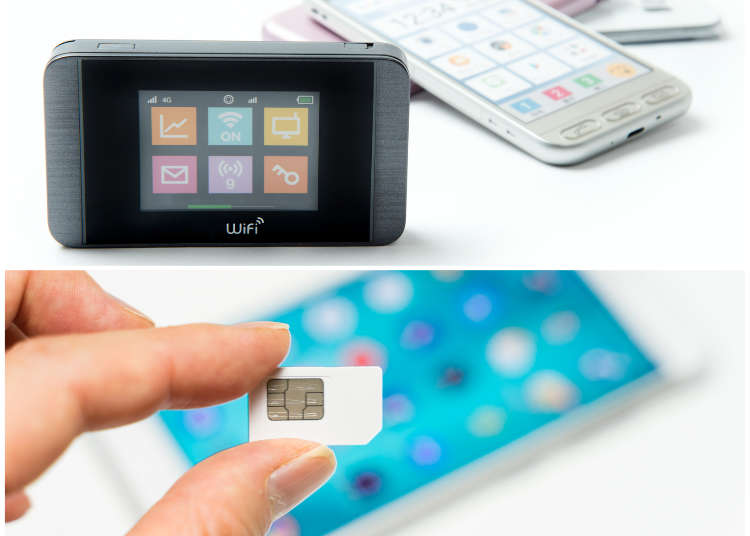
You can also rent a portable Wi-Fi router, which is a small device slightly smaller than your average smartphone.
There are different plans available, such as 5- and 10-day plans, so you can choose according to the length of your trip. Another plus is that you can connect to the Internet as soon as you get it: just turn on the router and enter its password into your phone.
Who is pocket Wi-Fi rental best for?
A Wi-Fi router is a compact communication device that can easily fit in your pocket. To use, simply turn on your phone and the router, find the router's SSID displayed on your phone, and enter the provided password. In comparison to the prepaid SIMs outlined below, there is minimal need for advanced configuration, making this option highly recommended for those who prefer to avoid complicated setups, and those who just want to get online immediately upon arrival without the challenge of hunting for a connection. In addition to unlimited data plans, there are also fixed data plans available, including 5MB per day, 1 month, and 2GB.
- 24/7 Accessibility: Connect at any time, even at midnight in Akihabara or during a sunrise visit to Mount Fuji.
- Wide coverage: Most providers offer coverage all over Japan, from the energetic streets of Osaka to the quiet temples in Nara.
- Multiple devices: Share your connection with travel companions on multiple devices. (They'll have to be within signal range, though.)
- Flexible plans: Choose daily or weekly plans tailored to your needs.
- No roaming charges: Avoid those scary international roaming fees that can ruin your sushi budget.
- Pick up and go: Get it at the airport, or depending on the option, even have it delivered to your hotel in Shinjuku.
- User-friendly: If you can use Wi-Fi at home, you can use portable Wi-Fi in Japan!
- Battery life issues: A day out in Kyoto with a constant connection can deplete the battery.
- Charging required: You'll need to remember to charge it nightly, or during a tea break in a cafe. You might also want to consider bringing a power bank backup.
- Possible restrictions: Some plans may have data limitations, affecting your ability to stream your stroll around Shibuya. Be sure to read the fine print and understand what's included in a plan before booking.
- Getting/returning it: You'll need to collect the router from specific locations like the airport or rental company offices. And don't forget to return it!
- Pocket-sized but present: It's small, but remember, it's an extra item in your bag as you explore the gardens of Kanazawa or the streets of Kobe.
- Always with you: Need to use your phone to find that secret sushi spot in Tsukiji? That router has to be with you, always!
- Preventing damage: Utmost care is required as you enjoy tea ceremonies in Kyoto or nightlife in Osaka. A slip or spill could be costly! And you will want to remember where you've left it.
How to choose a pocket Wi-Fi

1. Acquiring and Returning the Router:
The first point to consider when choosing a Wi-Fi router is the process of acquiring and returning it. How you receive your device varies by rental company, but in Japan, you generally have the option to collect it from the airport, your hotel, or one of the company's local offices. In addition to the rental charges, there may also be additional fees required when picking it up.
Returning your rented equipment can typically be done by depositing it into the 24-hour return post boxes usually available at the airport, or through a courier service that will deliver it to a specified address. Simply opt for the approaches that are most suitable to you and your travel itinerary.
2. Determining Data Requirements:
The second aspect to consider is determining your data requirements. Most companies offer both unlimited and fixed data plans, so you’ll want to consider how you will be using your cell phone. Will you be using map or route apps? Using Messenger, LINE, or WhatsApp for messaging? Watching videos? What about social media? You certainly don't want to use up all of your data before the end of your trip. But on the other hand, you also don’t want to pay for way more data than you’ll need or use!
As a general rule of thumb, 1 GB roughly equates to 2 hours of video, 55 hours of Wi-Fi chatting, and about 3,300 pages worth of web browsing.
3. Selecting a Carrier:
Regardless of whether you choose a Wi-Fi router or a SIM card (as we will discuss next), you will need to select a carrier. The main ones in Japan are Docomo, Softbank, KDDI, and Rakuten Mobile. Generally, all carriers offer reliable signals.
However, if you plan to use your phone in rural or mountainous areas, or visit any remote islands, Docomo is often favored for its extensive network of base stations, making it your best bet.
With these considerations in mind, you'll be well-prepared to make an informed decision about renting a Wi-Fi router in Japan. Whether you're headed to a high-tech metropolis like Tokyo or the natural wonders of Hokkaido, understanding these aspects ensures a smooth and connected journey!
Recommended Pocket WiFi Routers
1. Unlimited 4G Pocket WiFi (JP Airport Pick Up)
Pick up your device at Narita Airport, Haneda Airport, or Kansai International Airport. To return, place the device inside a return envelope and drop it into any mailbox in Japan. The counter staff are notable for being friendly and easy to understand. On top of that, the convenience of being able to return it by post without requiring another counter visit makes it an attractive, hassle-free option!
- Upload/Download Speed: 50mbps/150mbps
- Max. No. of Connected Devices: 10
- Battery Life: 9 hours
- Data Restrictions: Unlimited data
- Local Telecom Network: Softbank
- Pickup: Narita Airport, Haneda Airport, or
Kansai International Airport - 10-day rental price: From around US$32
Special Discount (NINJA Wifi)

2. Unlimited 4G LTE Pocket WiFi (Japan Airport Pickup)
Pickup at either Narita Airport, Haneda Airport, Kansai International Airport, or Naha Airport. Data capacity is unlimited, and it can connect to up to 5 devices at a time. To return it, place it into the provided envelope and deposit it in any mailbox in Japan.
- Upload/Download Speed: 4G/LTE
- Max. No. of Connected Devices: 5
- Battery Life: 10 hours
- Data Restrictions: Unlimited data
- Local Telecom Network: Docomo
- Pickup: Narita Airport, Haneda Airport, or Kansai International Airport
- 10-day rental price: From around US$53
3. Unlimited 4G LTE Pocket WiFi (Japan Delivery)
Delivery can be arranged to your hotel, amongst other locations within Japan. To return, place into the enclosed envelope and drop it into a mailbox within Japan. Up to 5 devices can be connected at a time.
- Upload/Download Speed: 4G/LTE
- Max. No. of Connected Devices: 5
- Battery Life: 10 hours
- Data Restrictions: Unlimited data
- Local Telecom Network: Docomo
- Pickup: Hotel
- 10-day rental price: From around US$48
2. Prepaid SIM cards in Japan

A SIM card is an IC card that is necessary to make calls and access the Internet. Prepaid SIM cards come equipped with a predetermined max data capacity and usage period. To install, remove the SIM tray from your device with a safety pin and insert the card.
Recently, eSIMs have also become an option. These cards are pre-embedded into the phone itself, and can be acquired online.
Who is prepaid SIM card rental best for?
SIM cards are designed to be inserted into a SIM-free smartphone, with the amount of data and period of use already set. If you have a phone that is compatible with these SIM cards, you can buy and use one immediately upon arrival. Simply insert it into your device and set the APN (Access Point Name) to allow your phone to connect to the Internet. With no need to carry an extra device or worry about charging, this option is especially recommended for those who prioritize mobility and frequently use the Internet while on the go.
Alternatively, the eSIM comes pre-installed in the phone itself, eliminating the need to manually replace the card, and enabling immediate use after completing a quick online process. In addition, if you plan to travel to any other countries during you trip, you won’t need to rent a new prepaid SIM in each country, as the entire process can be completed online!
If you're uncertain about the SIM card setup process, it’s a good idea to opt for a company that offers in-person assistance when you pick it up who can make sure that it’s properly installed and functional. In the event that it proves not to work while testing it at the counter, most companies will allow you to cancel your order right there.
As with Wi-Fi routers, you will usually be able to specify where in Japan you’d like to pick up your card, such as the airport or your hotel. Also, as they are disposable, there is no need to return them.
- Just use and go: Unlike Wi-Fi routers, prepaid SIM cards free you from the return procedures. Enjoy that last-minute sushi in Tsukiji or shopping in Harajuku without worrying about dropping off equipment.
- Use your own phone: Just pop in the SIM, and you're connected to the vibrant nightlife of Tokyo or the calming Zen gardens of Kyoto.
- No extra device: Travel light without carrying an additional gadget as you explore the samurai history in Kakunodate or the contemporary art on Naoshima Island.
- Individual connectivity: Worried about losing track of each other in the bustling Osaka streets? With a SIM card for each family member, everyone can explore independently.
- Fast Internet speed: Stay connected with fast 4G or even 5G services, perfect for sharing those stunning photos of Mount Fuji or streaming from a bustling Tokyo street.
- Device restrictions: Not all phones are compatible with SIM cards. Phone models in some countries may not be compatible. Check before your trip to avoid disappointment.
- Unlocking required: Ensure your phone is unlocked ahead of time.
- No group connection: Unlike portable Wi-Fi routers, SIM cards won't allow multiple devices to connect at once. Be sure to check whether device tethering is allowed with a plan before reserving.
- Possible restrictions: Some plans may have data limitations, affecting your ability to stream your stroll around Shibuya. Be sure to read the fine print and understand what's included in a plan before booking.
- No voice calls: Many tourist SIM cards only offer data, so you'll need to rely on an app like Skype for voice communication.
- Configuration needed: Some initial setup might be required, a potential hurdle if you're not tech-inclined.
How to choose SIM card rental

1. Choosing the Right Data Capacity
The first consideration is, similar to the Wi-Fi router, you should carefully select an appropriate data capacity. If you exceed the limit, you may encounter reduced speeds or even loss of service. Knowing your needs will help you keep connected while exploring vibrant Tokyo or the peaceful countryside of Sado Island.
2. Ensuring Phone Compatibility
Second, make sure that your phone is compatible with the Japanese carrier network after your card is inserted, as there may be cases where inquiries, cancellations, and refunds may not be available. If you have concerns about the setup process, go for a product that can be explained by the staff during purchase.
3. SIM or eSIM?
What is eSIM? eSIM, or embedded SIM, is a digital SIM that allows you to activate a cellular plan without having to use a physical SIM card. With eSIM, activation is done digitally, allowing you to switch between carriers or plans with just a few taps on your device. It's an increasingly popular option for modern travelers and offers a unique set of benefits and considerations. While eSIM is gaining traction, not all phones are compatible with eSIMs and you will want to check compatibility before you make a purchase.
4. Understanding SIM Card Insertion and Configuration
Third, familiarize yourself with how to insert the SIM card and configure the APN settings for immediate use upon arrival. Typically, after powering off your phone, you'll have to open the SIM tray using a paperclip or a similar tool, and insert the SIM card. Next, after turning your phone back on, set up the APN as per your provided instructions.
The SIM card is made of delicate components, including an IC chip, so be sure to avoid direct contact with the chip when handling. If your phone fails to start up even after inserting the card and configuring the APN, restart your device, toggle the airplane mode on and off, or try reinserting the card.
Recommended SIM Card Rentals
1. Unlimited 5G Japan SIM (Japan Airport Pick Up)
Pick up at Haneda Airport, New Chitose Airport, Chubu Centrair International Airport, Kansai International Airport, or Fukuoka Airport. While this option offers unlimited data capacity, it is limited to data only. Options include 5, 8, 12, 16, and 31-day plans, and airport staff will assist you in setting up your SIM card according to the provided manual. In the event of defective items, a replacement will be provided.
- Validity: 5-31 days (5, 8, 12, 16, 31-day options)
- Internet speed: 5G
- Service type: Data only
- Supported networks: SIM unlocked phones compatible with NTT Docomo's LTE Network
- Hotspot Sharing: Yes
- Local telecom operator: NTT Docomo
- Pickup at: Haneda Airport, New Chitose Airport, Chubu Centrair International Airport, Kansai International Airport, Fukuoka Airport
- 12-day rate: Around US$35
2. Japan Unlimited 4G SIM Card (Japan Airport Pick Up)
Pick up at either a Tokyo (Narita or Haneda) or Osaka (Kansai International) airport. While this option offers unlimited data capacity, it is limited to data only. In the event that it doesn't work at the pickup counter, cancellation is available.
- Validity: 5-31 days (5, 8, 12, 16, 21, 31-day options)
- Internet speed: 4G
- Service type: Data only
- Data limit: Unlimited
- SIM card size: Normal Nano Micro
- Hotspot Sharing: Yes
- Local telecom operator: NTT Docomo
- Pickup at: Narita Airport, Haneda Airport, Kansai International Airport, Fukuoka Airport
- 16-day rate: Around US$38
3. 4G eSIM for Japan from Softbank
Complete the reservation process online. You should receive an e-mail within 24 hours with specific instructions on how to use the service. Once the settings have been configured according to the instructions, you can begin using it right away. Users have expressed satisfaction with this choice for its convenience, as well as their prompt and responsive Help Center.
- Validity: 5-15 days (5, 6, 7, 8, 10, 15-day options)
- Internet speed: 4G/3G
- Service type: Data only
- Data limit: Unlimited
- Supported devices: iPhone XR / XS / XS Max / 11 / 11 Pro / 11 Pro Max / 12 / 12 Pro / 12 Pro Max / 12 Mini / 13 / 13 Pro / 13 Pro Max / 13 Mini / 14 / 14 Plus / 14 Pro / 14 Pro Max; Google Pixel 4 / 4a / 5 / 6 / 6 Pro / 6a / 7 / 7 Pro
- Hotspot Sharing: Yes
- Local telecom operator: Softbank
- 10-day rate (unlimited): Around US$25
3. International Roaming in Japan
When you land in Japan, your trusty cell phone from home might still be your travel companion, thanks to international roaming.
How does it work? Imagine your phone chatting away with the local cellular base stations and exchange stations, all coordinated by your contract carrier back home. That's international roaming for you, a gateway that opens the lines of communication right in the heart of Japan!
But hold on! International roaming can be a bit tricky. First and foremost, you need a contract with a wireless carrier, and that's where the landscape varies.
Fees, availability, even those tempting offers of unlimited service without extra costs – they differ by your home country.
Some travelers luck out with fantastic plans; others might find certain services blocked, depending on local conditions and their device model.
So what's the traveler's mantra? Research, research, research! Check your carrier's offerings well before your departure, and you'll find your path to seamless communication while exploring the Land of the Rising Sun.
- T-Mobile in Japan: International Roaming Plans
- Sprint in Japan: About Global Roaming
- Verizon in Japan: International Phone Plans & Travel Services
- Vodafone in Japan: Roaming Charge Calculator
- Telstra in Japan: International Roaming
4. Cell Phone Rental in Japan
Travelers also have the option to rent a cell phone for use within Japan from inside the airport immediately upon arrival. For the most part, you can expect charges to apply for calls and data usage, in addition to the rental fee for the device.
As one example, SoftBank Global will charge you 550 yen per day for the device rental, up to 990 yen per day for data charges, and about 110 yen per minute for calls.
5. Free Wi-Fi spots
You'll also find free Wi-Fi spots available in a number of public places, including airports, train stations, hotels, convenience stores, and cafes. However, if the Wi-Fi is not encrypted, it can pose a security concern as you may be exposed to unauthorized surveillance or data access. We weigh these and other options in the following article.
And there you have it: our recommendations for pocket Wi-Fi routers and prepaid SIM cards to help you get (and stay) connected during your trip to Japan.
For a comprehensive understanding of the pros and cons of each, as well as help selecting the right one for your needs, we hope you will have to look no further than this article!





The LIVE JAPAN editorial team is a multinational group made up of native editors who have lived in Japan for over five years and Japanese editors who love to travel. Together, we share the best of Japan, offering cultural insights, historical context, event updates, and travel-friendly deals, to support your journey every step of the way.
- Category
*Prices and options mentioned are subject to change.
*Unless stated otherwise, all prices include tax.
Popular Tours & Activities
Recommended places for you
-
ISHIDAYA Hanare
Yakiniku
Kobe, Sannomiya, Kitano
-

Jukuseiniku-to Namamottsuarera Nikubaru Italian Nikutaria Sannomiya
Izakaya
Kobe, Sannomiya, Kitano
-
Appealing
Rukku and Uohei
Izakaya
Sapporo / Chitose
-
Naritasan Shinshoji Temple
Temples
Narita
-
Goods
Yoshida Gennojo-Roho Kyoto Buddhist Altars
Gift Shops
Nijo Castle, Kyoto Imperial Palace
-

Asamushi Onsen
Hot Springs (Onsen) & Bath Houses (Sento)
Aomori, Hirosaki And Hachinohe
-
Eat Like Goro! "Taya" in Jujo, Tokyo (Solitary Gourmet Season 2, Epsode 10)
by: Shingo Teraoka
-
Welcome to Tokyo! Explore the New "Kiki & Lala Monorail" and Sightseeing Spots Along the Tokyo Panorama Line
by: Guest Contributor
-

Upgrade Your Japan Travel Experience: How to Master OSHIMAP
by: Guest Contributor
-

Tokyo Tower's Milky Way Illumination 2026 Returns! See 30,000 Lights Transform Tokyo's Skyline This Summer
by: Guest Contributor
-
Ad

Stay on time with the power of light. Celebrate 50 years of history with the Limited Edition CITIZEN Eco-Drive and other must-have models
-

July Events in Kanto: Fun Festivals, Food, and Things to Do
-
Visiting Tsutenkaku Tower: Osaka's Retro Icon in the Heart of Shinsekai
by: Guest Contributor
-
Tokyo Station Top 10 Sweets Ranking!
-
Dakigaeri Gorge: Stroll Beside Aqua-Blue Streams and Brilliant Autumn Leaves in Akita
by: Guest Contributor
-
Osaka Portable WiFi: Wi-Fi Rental Shops Near Osaka Station & How to Book
by: WESTPLAN
-

We Board Japan's 'Setsugekka' Resort Train And Have An Incredible Journey Through The Heartland
-

Hokkaido Lavender Fields: 6 Best Places in Furano to See Japan's Dreamiest Purple Meadows
by: Nobuka Kawashima
- #best sushi japan
- #what to do in odaiba
- #what to bring to japan
- #new years in tokyo
- #best ramen japan
- #what to buy in ameyoko
- #japanese nail trends
- #things to do japan
- #onsen tattoo friendly tokyo
- #daiso
- #best coffee japan
- #best japanese soft drinks
- #best yakiniku japan
- #japanese fashion culture
- #japanese convenience store snacks